Blue Odin imports your WooCommerce product data.
To view all of your products, go to Metrics > Products.
This is what the PRODUCTS section looks like:
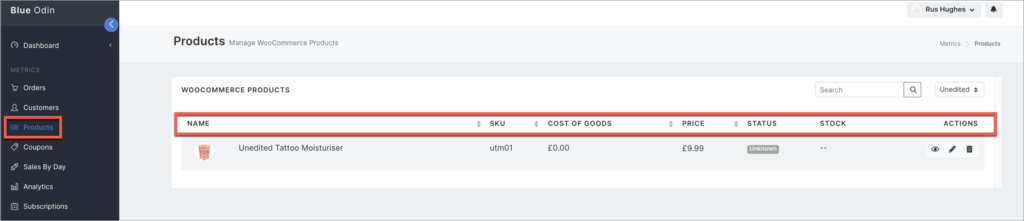
Here’s what the columns in the screenshot above mean:
NAME
The name of your product.
SKU
Stock keeping unit to track your store’s inventory.
COST OF GOODS
How much the product costs to produce.
PRICE
How much your product is currently selling for.
STATUS
The product’s current status.
STOCK
How many stocks are left in inventory.
ACTIONS
You can edit the product’s visibility, basic details, or delete it from Blue Odin.
What can you do in the Blue Odin Products section?
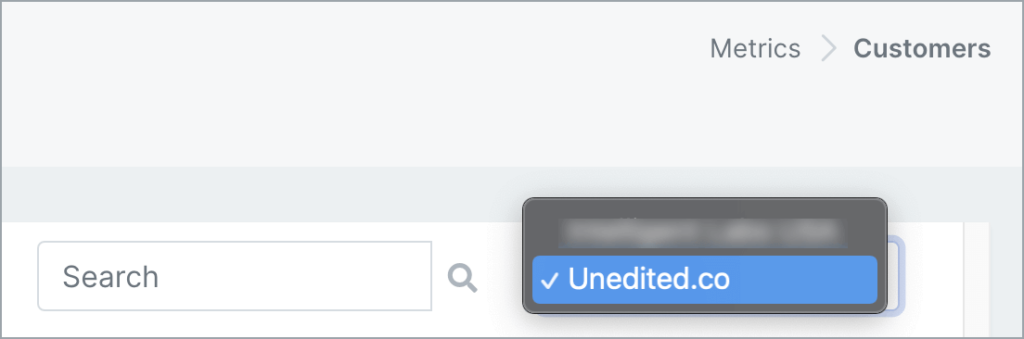
First, make sure you’re looking at the right store.
You can select the store in the dropdown menu.
You can SEARCH products by:
- Product name
- SKU
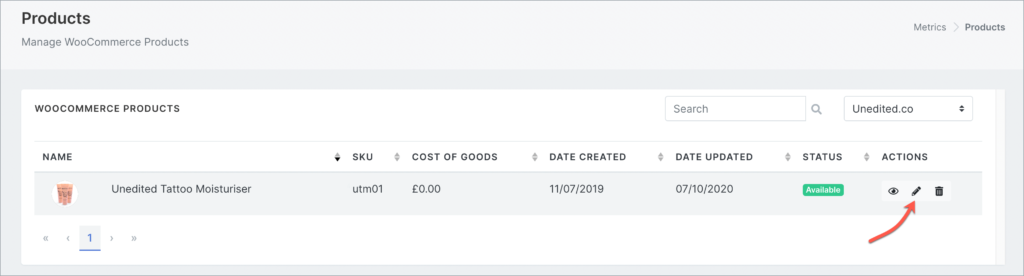
You can also EDIT the product:
To EDIT a product, click on the pencil icon in the Actions column.
This is the Edit Product page where you can:
- edit the product name, and
- change the default product image
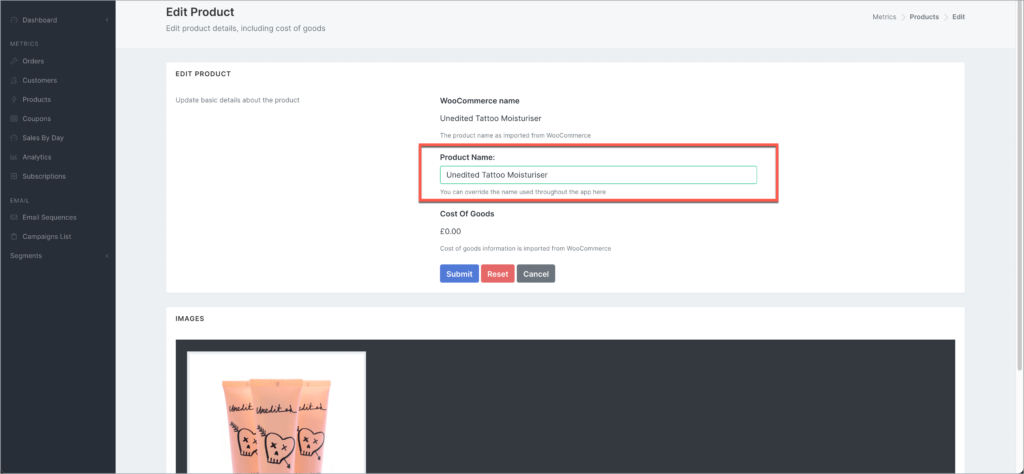
Click Submit to save all your changes, Reset to undo your changes, and Cancel to go back to the previous page.